Customizing the Preferences for Weather App
In this exercise, we allow users to use preferences to determine where they want to get their weather data from. As we have done in previous exercises, we will be using the SharedPreferences api to handle storing and communicating data. Our jobs will be to correctly set up the files and call the well documented methods to do the work for us.
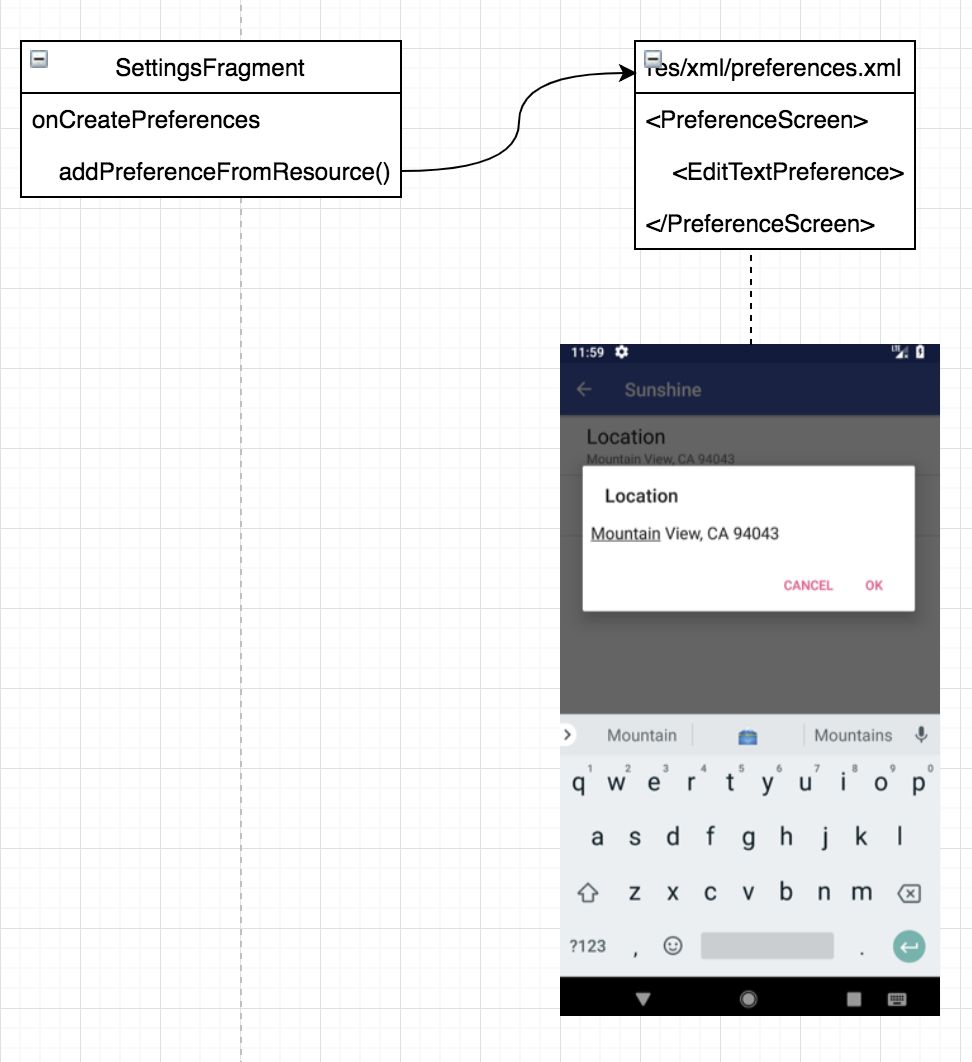
Looking at the image in the diagram, you will see the location is set to Mountain View, CA 94043. Where is the app getting that information from? Equally important is what happens when you change that location and click ok? In this post, we will break down how exactly the data is being stored and communicated.
where is the preference getting the location?
Well that is easy, it is the default string from Strings.xml :)
    <!-- Default postal code for location preference [CHAR LIMIT=NONE] -->
    <string name="pref_location_default" translatable="false">Mountain View, CA 94043</string>
what happens when the user updates the location?
In the click event workflow diagram below, you see that the informaiton the user entered is sent to the onSharedPreferenceChange method inside the SettingsFragment. We set the preference settings using a method called setPreferenceSummary().
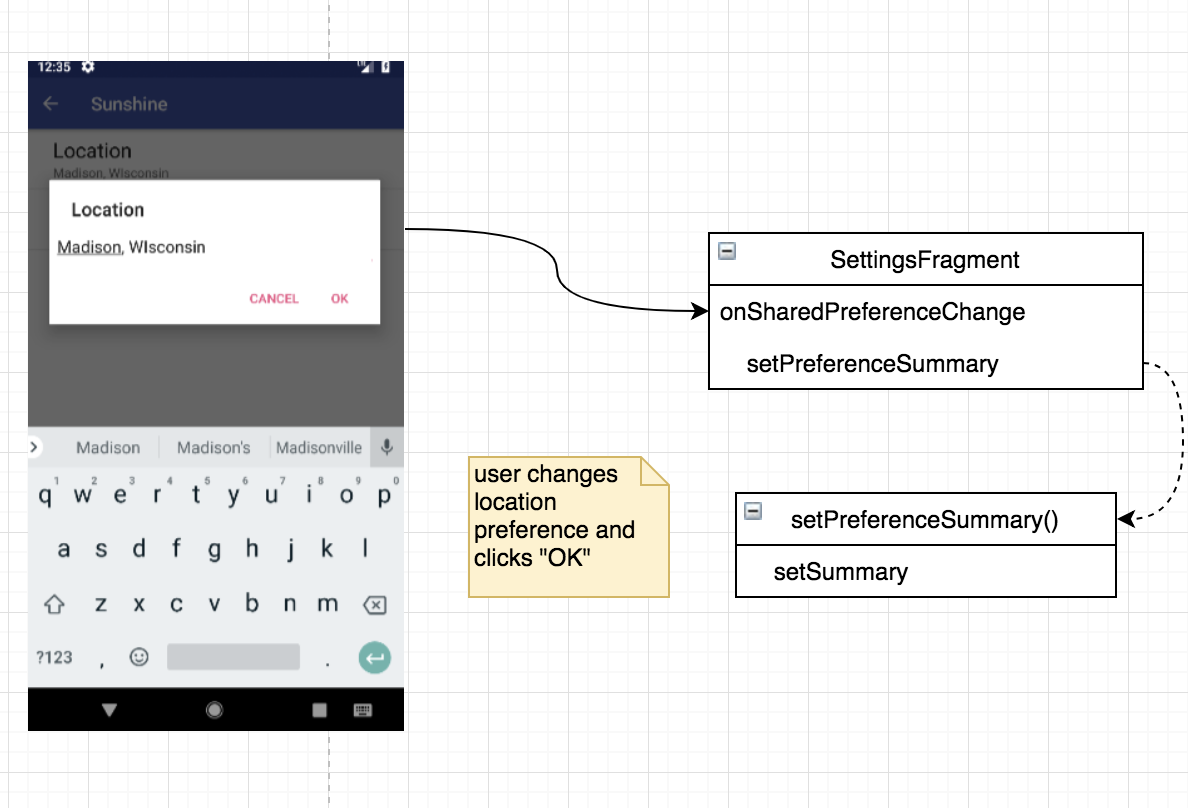
We are ablet to set the summary for a preference using the setSummary() method on the preference.
Conclusion
This exercise was quite simple in concept, however, there is a lot of java code being written that can be quite intimidating. I find that I can easily get caught up trying to figure out java code and lose sight of what it is exactly I am trying to accomplish. I recommend anyone out there trying to learn a new language to use diagramming tool, such as draw.io, to help understand how the classes and methods are communicating.